


65-Inch Slim-Bezel Floor-Standing Digital Signage
SKU: Select color to generate SKU
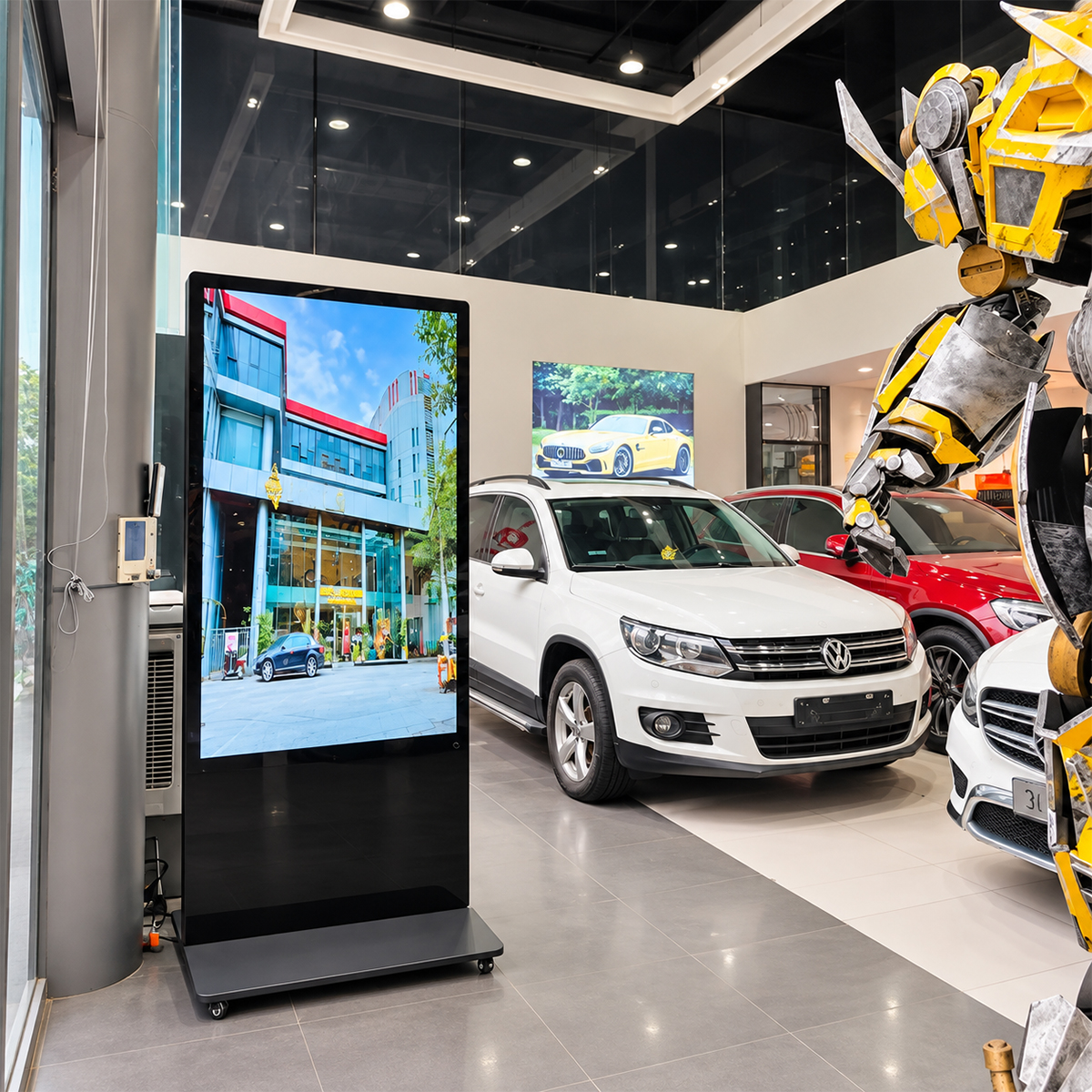
The 65-inch version is the largest screen option in our slim-bezel floor-standing range. It offers the greatest display area in this series for buyers planning a large campaign image or information presentation. Specifying this model requires consideration of the whole deployment: where it will stand, how it will reach that location, how content will be managed and how the unit will be serviced.
Compared with 55 inches, the screen area increases by approximately 40% at the same aspect ratio. The listed resolution remains 4K, so the benefit is a larger physical presentation rather than a higher pixel count. Evaluate the proposed content at the intended location before assuming the largest size is the best choice for every site.
Design & Construction of the 65-Inch Floor-Standing Display
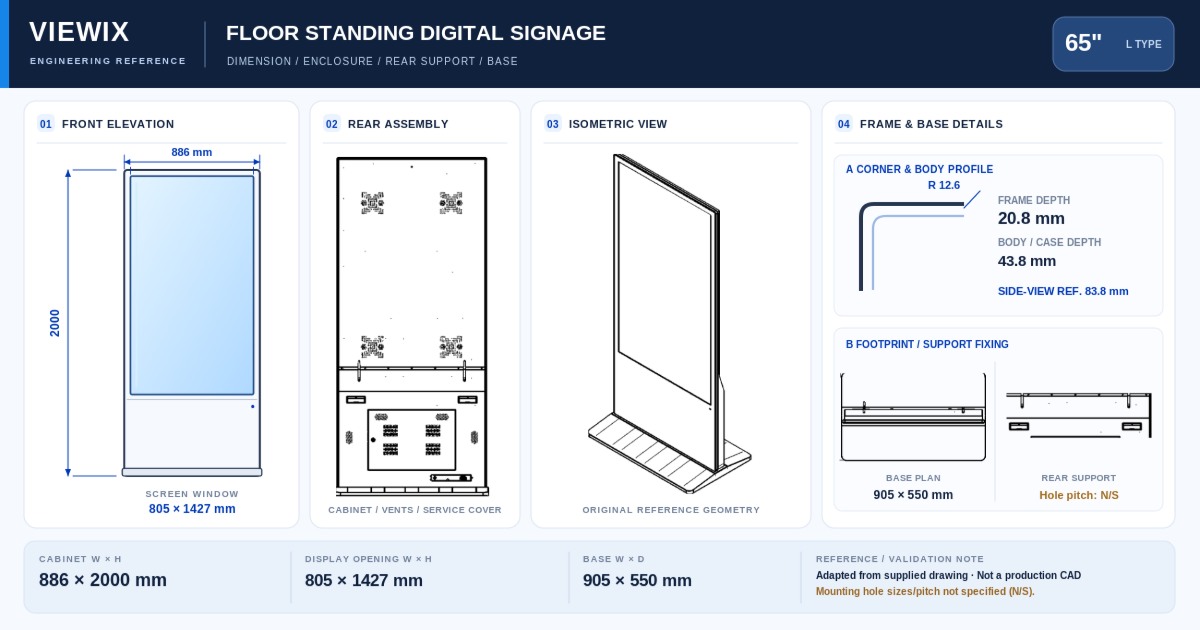
Treat delivery and placement as part of the 65-inch specification. Request the complete-unit drawing, base dimensions, packed dimensions and confirmed weight for the quoted assembly. Check the delivery route, doorways, lifts where relevant, and the final position before scheduling installation. The panel active area alone cannot establish handling requirements or clearance around the unit.
Key Features of the 65-Inch Slim-Bezel Digital Signage
Largest display area in the series
The 65-inch model is the upper size option in the 32–65-inch range. Use the larger area for a clear visual hierarchy rather than automatically increasing the amount of information.
A substantial area increase over 55 inches
About 40% more screen area creates a meaningful comparison for large-format imagery. Evaluate it with the same assets and the same site plan used for the 55-inch alternative.
Project planning beyond the screen
Include delivery access, base placement, power and network routing, and future service access in the purchase brief. These requirements should be confirmed against the actual unit being supplied.
Hardware & System Configuration
For a 65-inch campaign display, specify the media format and playback application alongside the panel and operating system. For an interactive project, review the touch interface at full scale and in the final mounting position. The larger screen does not establish the player performance, available ports or included software services; those belong in the agreed configuration.
Available selections include BOE, TCL CSOT or AUO panels, Android or Windows, and touch or non-touch operation. These are configuration choices, not a promise that every combination has identical specifications. Supports CMS integration; confirm software compatibility and CMS service pricing separately.
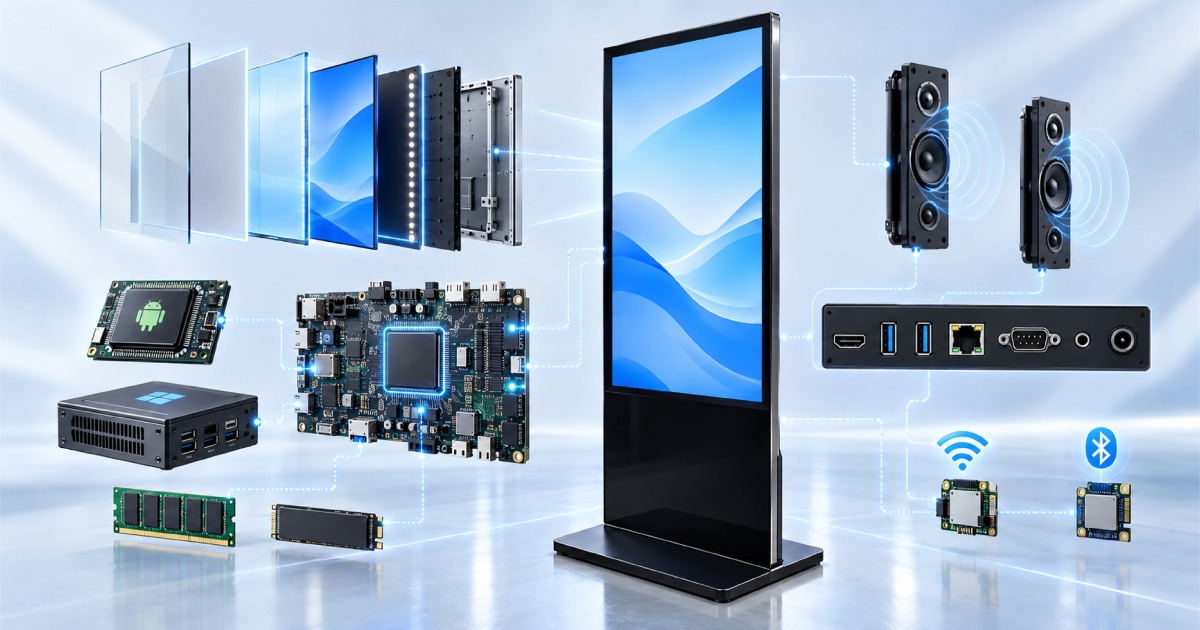
65-Inch Floor-Standing Digital Signage Specifications
The screen values below reflect the current product listing. Use the agreed model specification and quotation for purchasing and installation approval; panel active area must not be used as the overall cabinet size.
| Parameter | Configuration information |
|---|---|
| Model family | FSU-65 |
| Screen diagonal | 65 inches |
| Listed native panel resolution | 3840 × 2160 (4K Ultra HD) |
| Listed active panel area | 1439.0 × 809.4 mm (long side × short side; excludes cabinet and base) |
| Installation type | Floor-standing |
| Intended environment | Indoor |
| Panel selections | BOE / TCL CSOT / AUO; confirm availability for the selected configuration |
| Operating-system selections | Android or Windows |
| Interaction options | Touch or non-touch |
| Hardware configuration | Select the required hardware in the configurator; confirm CPU, RAM, storage and ports in the quotation |
| CMS | Supports CMS integration. Confirm compatibility and service pricing separately. |
| Enclosure colour | Select an available colour in the configurator |
| Complete-unit and packing details | Request the confirmed drawing, dimensions and weight for the quoted assembly |
Size Comparison: 65-Inch vs. 55-Inch Digital Signage
The closest size comparison is 55 inches. If the larger display does not improve the presentation of the actual content, the 55-inch option should remain on the shortlist. For a mixed-site order, record which locations require 65 inches and which can use smaller models, then compare the complete configurations and delivery requirements.
| Size | Listed resolution | Screen-area comparison |
|---|---|---|
| 32 inches | 1920 × 1080 (Full HD) | Smallest screen in the range |
| 43 inches | 3840 × 2160 (4K Ultra HD) | About 81% more area than 32 inches |
| 50 inches | 3840 × 2160 (4K Ultra HD) | About 35% more area than 43 inches |
| 55 inches | 3840 × 2160 (4K Ultra HD) | About 21% more area than 50 inches |
| 65 inches — current model | 3840 × 2160 (4K Ultra HD) | About 40% more area than 55 inches |
Area comparisons are calculated from the nominal diagonals at the same 16:9 aspect ratio and rounded. They compare screens, not cabinet footprints, packing sizes or handling requirements.
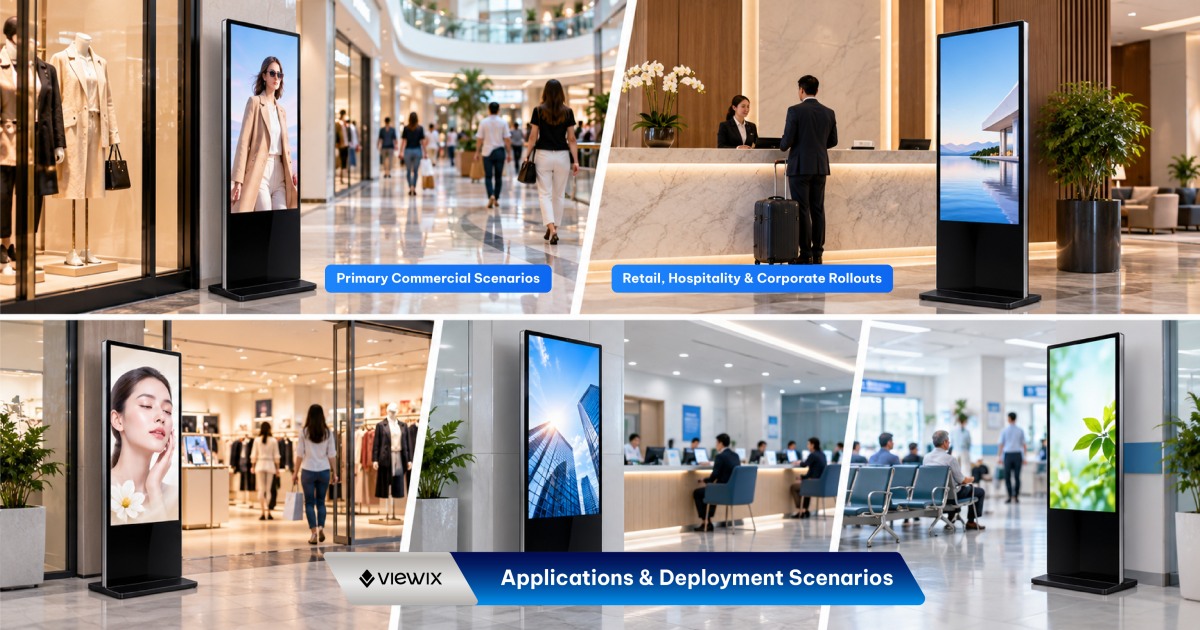
Applications for the 65-Inch Floor-Standing Display
Large campaign visuals
Assess product photography, brand campaigns supplied by the buyer, or promotional video at the intended placement. Keep the main message clear and test essential text separately.
Showroom information
Review the relationship between the screen and the displayed products. The screen should support the presentation without obstructing circulation or access.
Selected locations within a rollout
Use the 65-inch format at sites that justify the larger presentation and can accommodate the unit. Plan distribution and installation using confirmed packing and handling information.
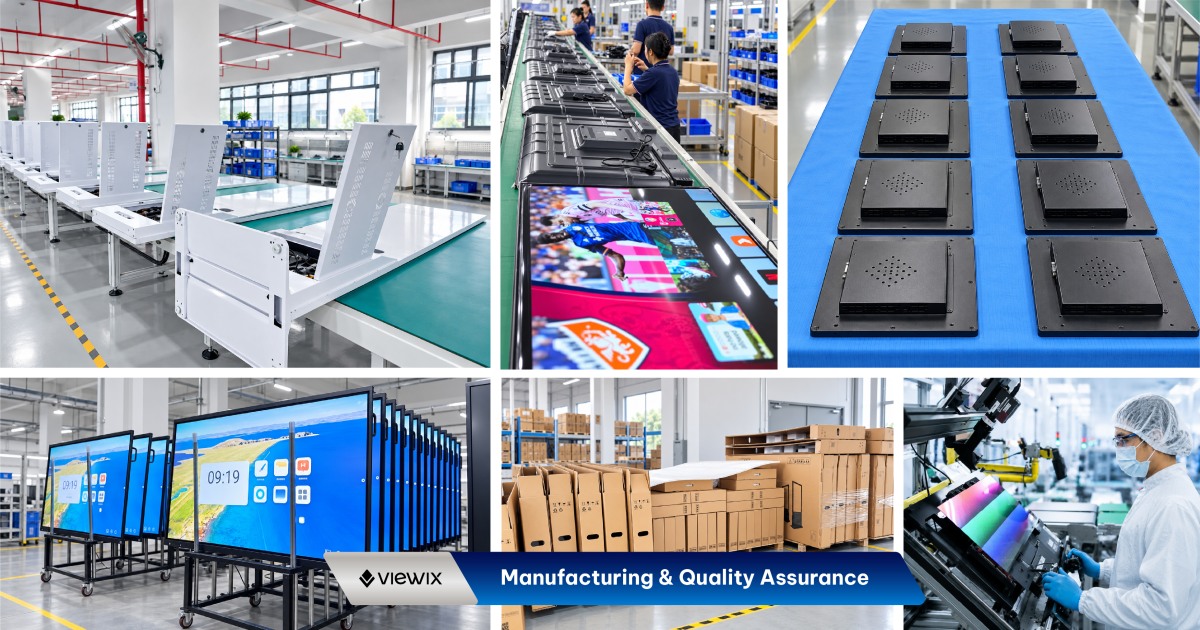
Manufacturing & Quality Assurance
A 65-inch sample or pre-delivery review should use the intended application and representative media. Agree the visual and functional inspection criteria, and confirm the physical and packaging information needed by the installation team. Request applicable product documentation for the destination market rather than assuming every configuration carries identical supporting records.
For factory-direct procurement, agree the selected configuration, sample requirements, inspection scope and required documentation before placing the production order. Ask our team to confirm the applicable test records, warranty terms, order quantity and lead time for your project.
65-Inch Digital Signage FAQs
Does the 65-inch model offer a higher resolution than 55 inches?
Both are listed with 3840 × 2160 panels. The 65-inch screen is physically larger, with about 40% more area at the same aspect ratio.
What information is needed before arranging delivery?
Confirm the packed dimensions, weight, delivery route and site handling arrangements for the quoted assembly. Screen diagonal and active panel dimensions are not enough for logistics planning.
Is 65 inches the right choice for every large space?
Not necessarily. The content, viewer position, available installation area and service access should guide the choice. Compare the 55-inch alternative using the same project brief.
Can I request a sample before a larger order?
Contact our sales team with the required configuration and intended test plan. Confirm sample availability, pricing and delivery timing before scheduling software integration or site trials.
What commercial terms should be confirmed?
Request the applicable minimum order quantity, warranty scope, included accessories, delivery terms and lead time in the quotation. Specify any spare-parts or documentation requirements in your enquiry.
Request a Quote for 65-Inch Floor-Standing Digital Signage
Send the 65-inch quantity, destination, software requirements and proposed placement. Include any delivery-access constraints and request the complete-unit and packing details needed by your installation team.
- Environment
- Indoor
| Model / SKU | |
|---|---|
| Screen size | 65 |
| Display panel | |
| Android configuration | |
| Operating system | |
| Resolution | Based on the selected screen size |
| Content management | Viewix CMS remote content management |
| Touch technology | |
| Environment | Indoor |
Commercial Grade Technology in Every Detail.
Designed for demanding environments where continuous operational uptime, crystal-clear 4K visual reproduction, and remote management are essential.
2K / 4K UHD Resolution
Ultra-high-definition IPS panel with 178° wide viewing angles and vivid color reproduction.
Android & Windows Dual OS
Seamless dual-system switching for automated broadcasting or high-performance interactive software.
CMS Integration
Supports CMS integration.
Touch / Non-Touch Options
Choose from the available touch or non-touch configurations to suit your display application.
